
Working with Ardour-built Plugin Editors
Ardour displays its generic user interface for arbitrary plugins in two places:
- The generic plugin editor window when no custom UI is available (typically with LADSPA plugins or some VSTs), or the generic plugin UI was specifically selected.
- The bottom pane in the Editor window when a track rather than a region is selected on the timeline.
Generic Plugin Editor
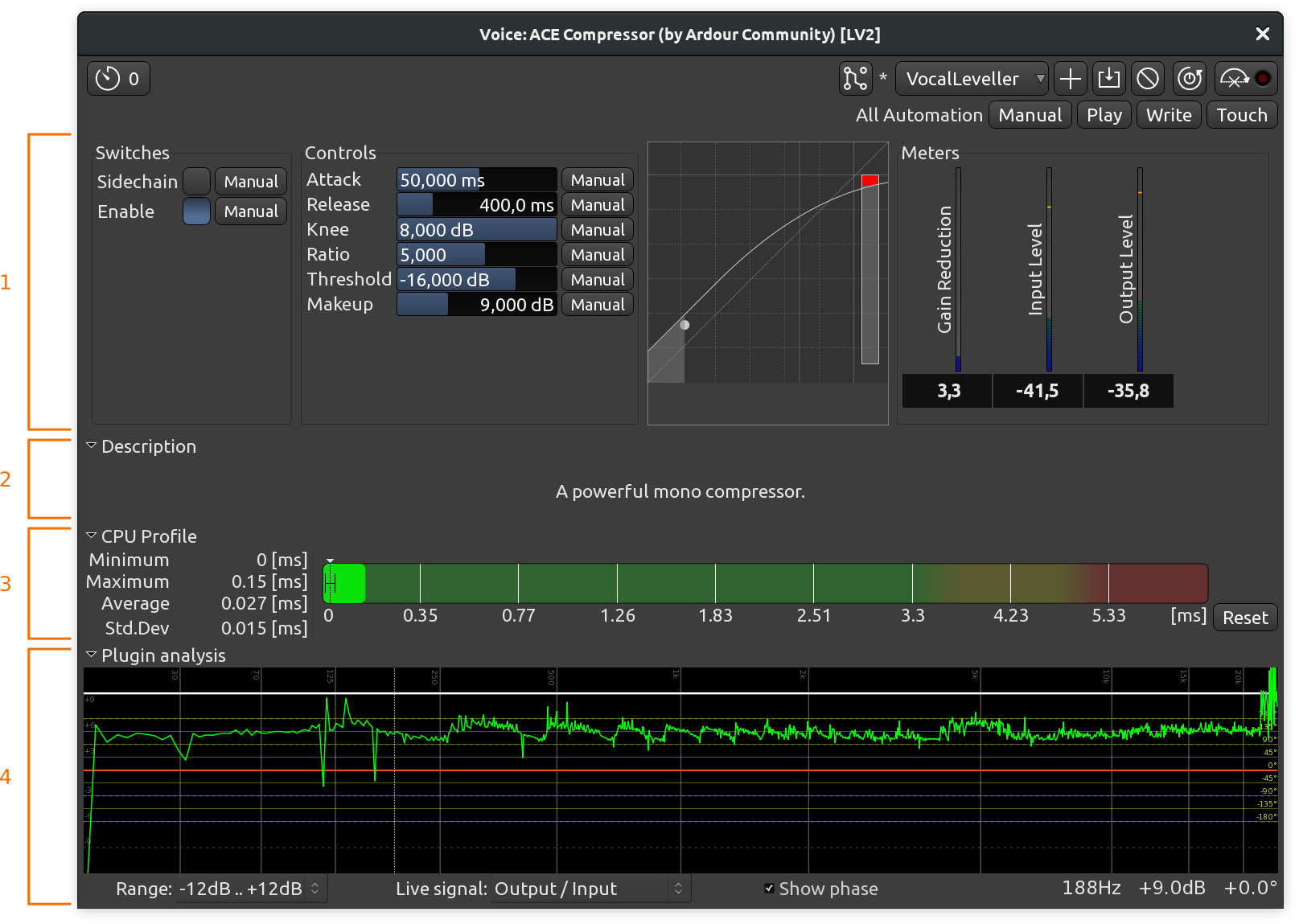
- Parameters
- Description
- CPU Profile
- Analysis graph
If a plugin does not have its own GUI, Ardour will construct a generic plugin editor from a small set of common control elements. Ardour will do this even for plugins that have their own, if Edit > Preferences > GUI > Use Plugins' own interface instead of Ardour's is disabled.
The generic UI can be temporarily switched to by right-clicking on a processor and selecting Edit with generic controls. This is necessary in order to access the plugin automation controls.
In the generic UI, any controller can be reset to its default state by Left-clicking on it.
Description
This is a rarely used section that displays the contents of the description metadata of a plugin.
CPU Profile
This section displays CPU time measurements for the currently opened plugin. For more information, please see the documentation on the Plugin DSP Load window.
Analysis Graph
At the bottom of the generic plugin editor, clicking the arrow displays the Analysis Graph.
This graph displays:
- the transfer function in white,
- the phase response in red (optional),
- the post effect spectrum in green.
The transfer function plots the output amplitude of the plugin (considered as a "black box") against its input amplitude, along the audio spectrum.
The phase response, that can be switched on or off using the Show phase checkbox, plots the phase of the plugins output against its input phase, along the audio spectrum. The scale is shown in yellow on the right.
The green spectrum plots the output signal spectrum, after the plugin (for tracks that have a signal on).
The dB scale selector in the bottom left allows to change the vertical scale of the graphs.
MIDI instruments specificities

The generic UI provides, for all MIDI instruments plugins, a keyboard, that can be used either with the mouse, or by using a QWERTY keyboard as a piano. Both the channel and the velocity can be set above the keyboard.
Bottom pane in the Editor window
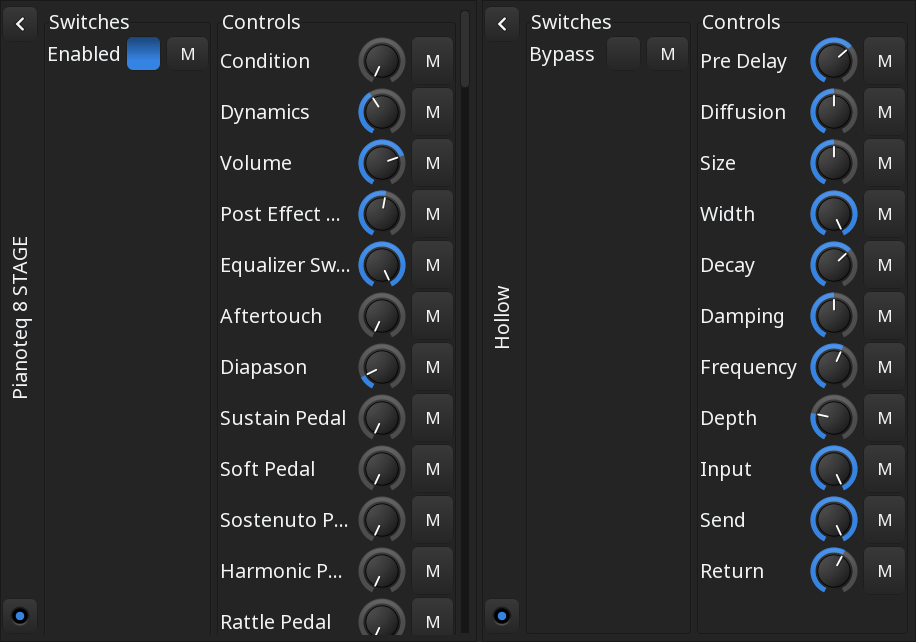
Enabling the bottom pane in the editor makes it possible to see all parameters of all plugins used in a selected track or buss with generic user interface.
For every plugin, Ardour will rendering the following:
- The name of the plugin
- A host-side bypass button
- A button that toggles collapse/expansion of the plugin's user interface
- Switches, such as plugin-side bypass
- Controls, or parameters, with a rotary knob for control and a drop-down list to choose automation style for each parameter