
Bottom pane
The bottom pane is available on the Editor and Cue windows and can be toggled from the application bar on the right. The functionality it provides depends on which window you are on.
Bottom pane in the Editor window
The bottom pane of the Editor window can display one of the two things:
- Pianoroll editor for a selected MIDI region
- Generic plugin UI for all plugins in the selected track
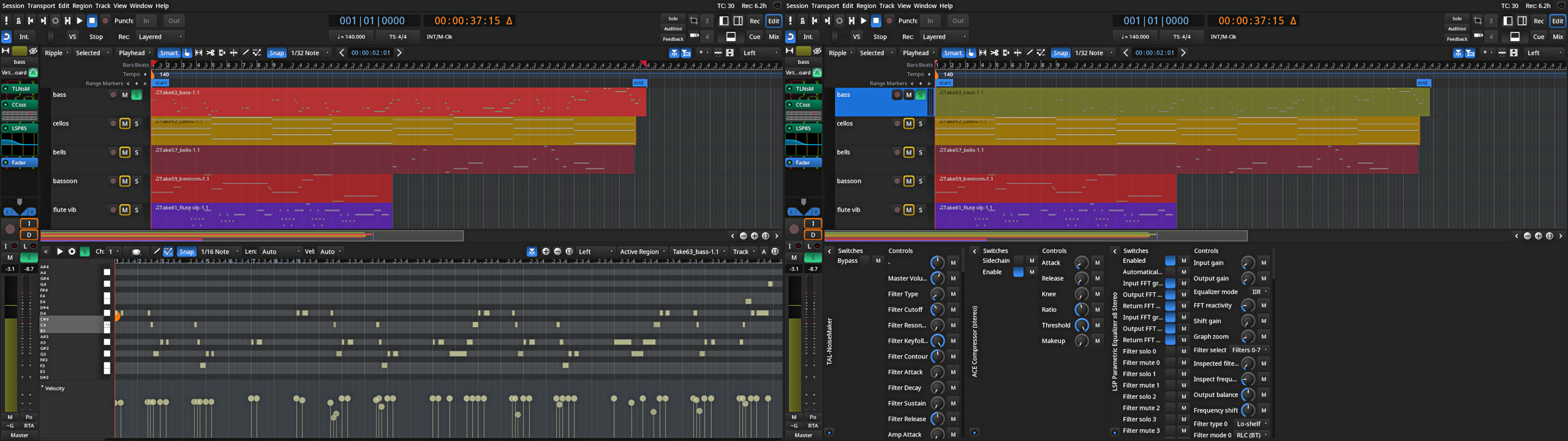
For documentation on using the bottom MIDI region editor, please refer to the Pianoroll Window chapter that covers the user interface and functionality.
For documentation on using the bottom pane plugin views, please refer to the Working with Ardour-built Plugin Editors chapter.
Bottom pane in the Cue window
The bottom pane in the Cue window always displays clip properties and the editor for the selected audio or MIDI clip:
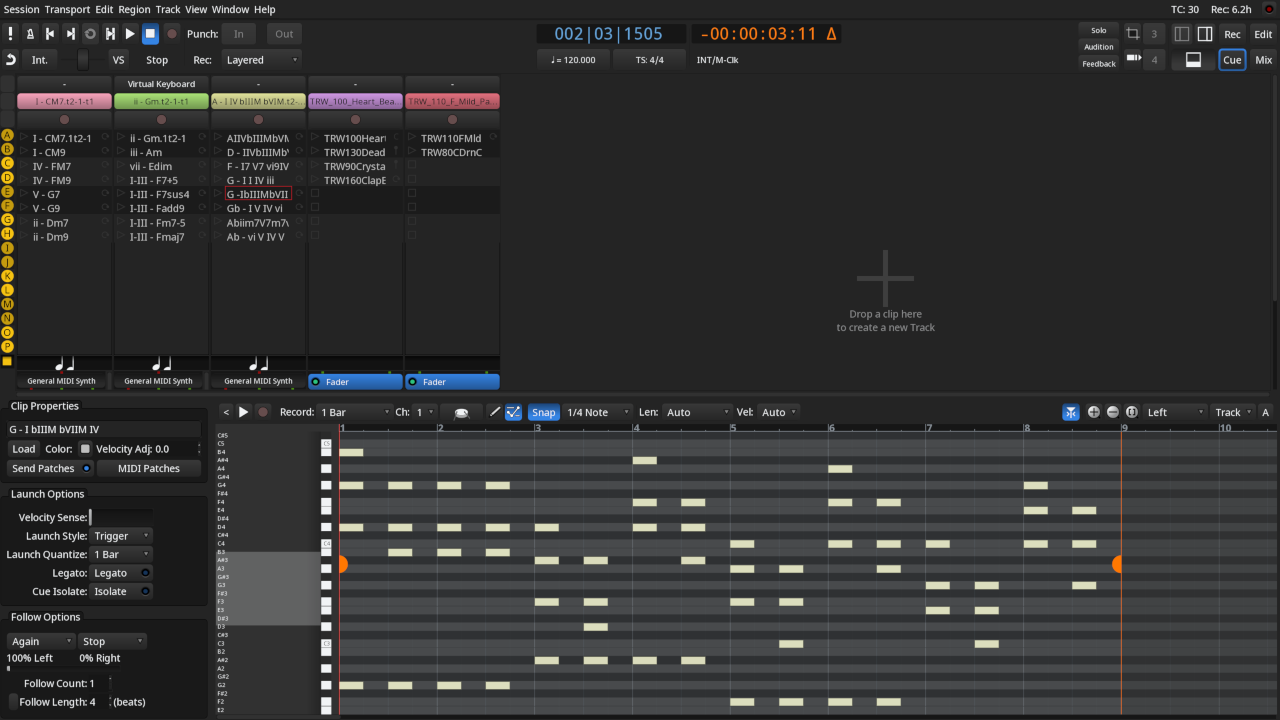
For details on setting clip properties, launch styles, etc., please read the relevant documentation section.
For details on editing clip contents, please read Editing Cues.