
Key, scale, and tuning system
Ardour allows setting session-level and track-level key/scale, visualizing out-of-scale notes, and choosing whether out-of-scale notes should be automatically corrected.
Tuning system, root note, and scale
The three ingredients of a key are a tuning system, a root note, and a scale. The interface for selecting them is largely the same for both sessions and tracks.
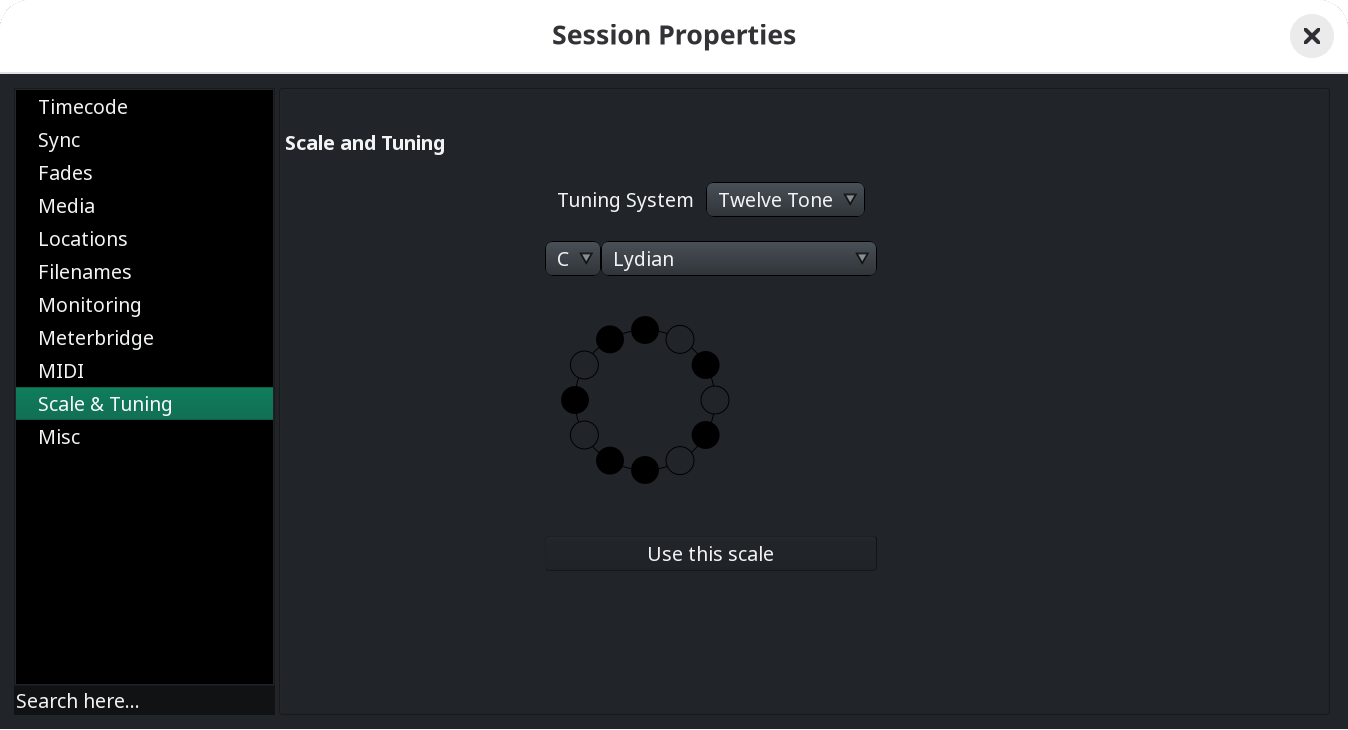
- Tuning system (or temperament) is the framework of pitches and intervals used to define the specific frequencies of notes in music. It determines how an octave is divided and how clean or consonant different intervals sound relative to one another. As of v9.8, Ardour only supports a 12-tone tuning system (not the same as 12-TET).
- Root note, or tonic, is the starting pitch or central note chosen from that tuning system. For a 12-tone tuning system, it goes from A to G#/Ab.
- Scale is a specific pattern of step intervals selected from the tuning system. For example, the Major scale uses Whole-Whole-Half-Whole-Whole-Whole-Half steps. As of v9.8, Ardour supports 34 commonly used scales.
The bracelet-like diagram below represents how the selected scale maps to the selected tuning system. In-scale notes are rendered with a dark fill, and out-of-scale notes are rendered in the background color.
Key/scale hierarchy
As of v9.8, key/scale is set on two levels of a session hierarchy in Ardour. Key.scale as a session property is at the top level. Key/scale as an individual track's property is at a lower level and inherits session's key by default.
Selecting a new session-level key/scale does not modify key/scale selection of existing tracks, it only affects newly created tracks.
You can override session's key/scale by right-clicking on a MIDI track's header, selecting Scale, and changing the root note and the scale.
Key enforcement options
Ardour offers several key enforcement options available through the right-click menu of MIDI tracks.
Show notes-in-scale in MIDI backgrounds: Adjusts the rendering of background notes on the timeline so that it's possible to see where notes in regions are in-scale and where they are out-of-scale.
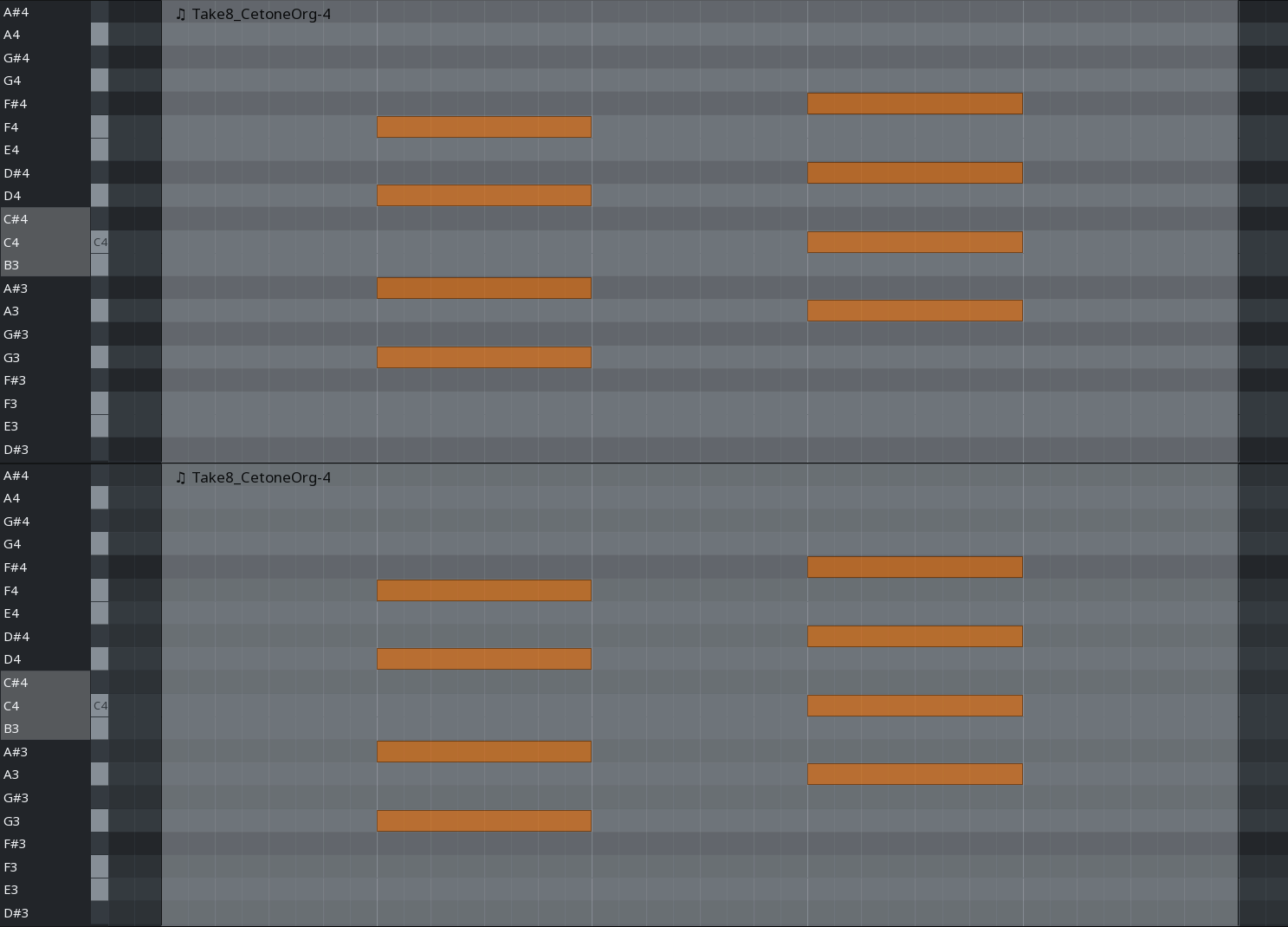
Instead of rendering light notes for white keys and dark notes for black keys (the traditional piano keyboard notes), Ardour uses a three-color palette:
- Light color is for in-scale white keys.
- Dark color is for in-scale black keys.
- Medium gray color is for non-scale notes whether they are white keys or black keys.
Don't show non-scale ghost notes while drawing/editing: Displays all existing non-scale notes as pale, ghost notes when you are in either Draw or Internal Edit mode. As of v9.8, you need to start editing for this option to take effect.
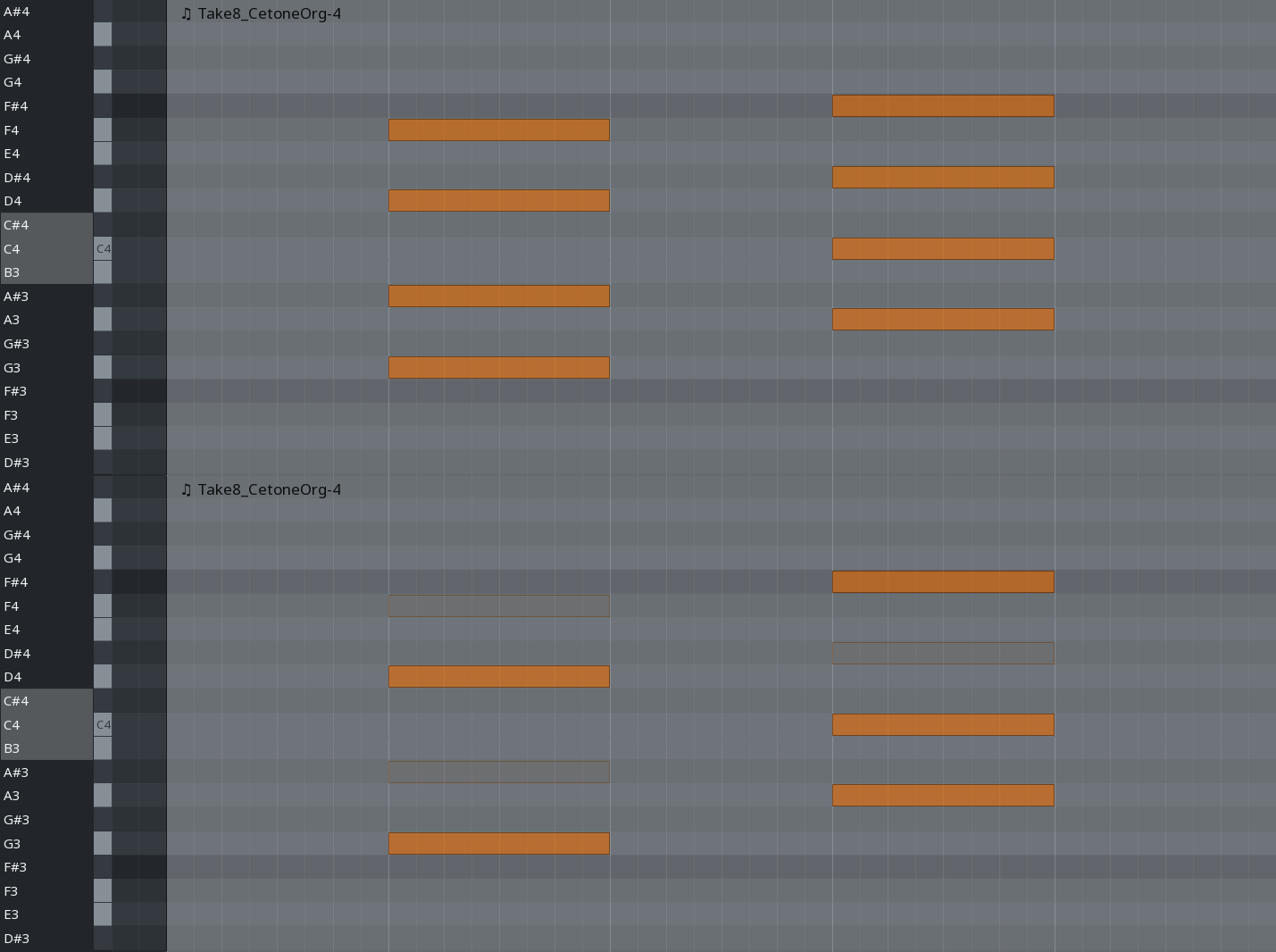
Don't allow mouse edits to create non-scale notes: Forbids creating non-scale notes with a mouse (as opposed to recording from a MIDI device).
The next group of options controls how Ardour responds to non-scale notes coming from MIDI input:
- No scale-based editing: Ardour will capture all notes as they are whether they are in-scale or out-of-scale. This is the default mode.
- Force edits of non-scale notes to next lower note: Snaps any non-scale note down to the nearest lower scale degree in the active scale.
- Force edits of non-scale notes to next higher note: Snaps any non-scale note up to the nearest higher scale degree in the active scale.
- Force edits of non-scale notes to nearest note: Snaps a non-scale note to whichever in-scale pitch is closest (up or down). If a non-scale note sits exactly halfway between two scale degrees, it defaults to standard rounding rules.